
Chat roulette online WEBKA
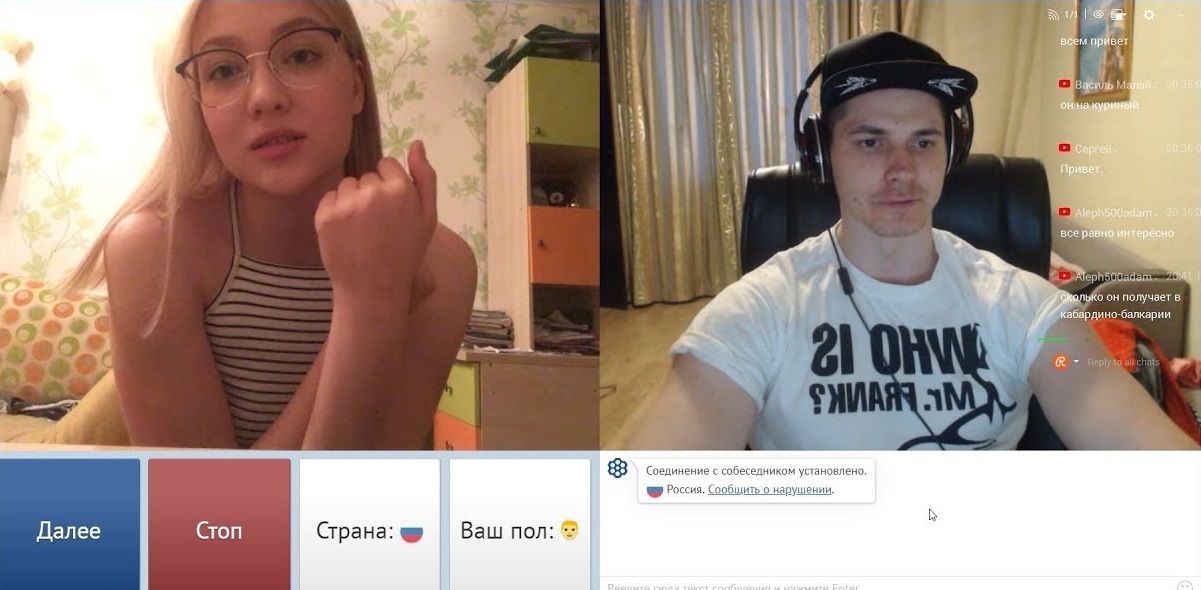
Chat roulette is a video dating format where you meet new people over camera and decide for yourself whether to continue the conversation or not. In WEBKA this is done through a browser: you can log in as a guest, see who is online, and start a personal video call. Registration is not required for the first login - it is needed if you want to save your profile and use other features of the platform for longer.
Below is how the script works on the web version, how it differs from classic “roulettes” with the “next” button, and how to safely start communicating from a computer or phone.
What is chat roulette
The classic idea of chat roulette is simple: video instead of long correspondence, quick contact with a stranger and the freedom to end the conversation if it doesn’t work out. WEBKA develops this idea as a social video platform: next to personal calls, messages, rooms, broadcasts and group conferences are available.
It is important to understand the difference between formats. Video dating is not a promise of the “right” interlocutor by gender, age or city. You choose who to start a conversation with among those who are currently on the platform. There is no “only girls from my city” filter and there is no guarantee of matching interests on the first try.
How WEBKA chat roulette works
On the web version, the main dating path looks like this: open the site → log in → select a person online → start a video call or write a message. If you are not interested in the conversation, end the call and find another user. There is no separate button “next random interlocutor”, as in the old chatroulette clones, in the web client - the selection is made through your choice among online users, rooms and broadcasts.
- Open webka.io in a browser on your computer or phone.
- Click Continue as Guest or sign in.
- Allow access to the camera and microphone when asked by the browser - this is necessary for a video call.
- Select your interlocutor from the list online or go to the room/broadcast.
- Start a personal video call. If the conversation doesn’t work out, end it and move on to another contact.
Guest mode creates a temporary session on this device. To use your profile, gifts and advanced settings more consistently, it is better to register.
How to start a conversation
Before making a call, make sure that the camera and microphone are not occupied by another application. If the browser only shows audio, check the site permissions in the settings of Chrome, Safari, or another browser. A short greeting and one specific question usually works better than a long monologue.
To continue dating, text messages are convenient: you can write after the call or instead of it. If you want a more public format, go to a themed room. General overview of formats - in the article online video chat WEBKA. If you are interested in respectful video dating, see also video chat with girlsNone
Chat roulette from your phone
WEBKA works in the Android and iPhone mobile browser: a separate application for the basic scenario is not necessary. On a smartphone, the interface is adapted for a narrow screen, but access to the camera and microphone is still provided by the system through the browser.
If the camera does not turn on in the built-in browser of a social network or messenger, open the site in regular Chrome or Safari. Step-by-step resolutions and typical errors are discussed in the material how to use video chat from your phoneNone
What else can you do in WEBKA
- Personal one-on-one video calls.
- Text messages and dialogues.
- Themed rooms for conversations and time together.
- Live broadcasts and group video conferences.
- Profile, rating stars and gifts are in the registered account.
These formats do not replace each other: a call is convenient for quick contact, a room for company, broadcast when you want to show something to the audience, messages when a camera is not needed.
Rules and safety of communication
WEBKA is a platform for communication between adults. Treat your interlocutor with respect: do not put pressure, do not demand personal information, and do not ignore a refusal to continue the conversation. If the behavior of another user violates comfort or rules, a complaint and adding to the blacklist are available.
Video does not make dating “safe in and of itself.” Don't transfer money to strangers, click on suspicious links, or share your address, passwords, or verification codes. Moderation and reporting tools help you respond to violations, but are not a substitute for your discretion.
Частые вопросы
Do I need to install the application?
For the web version, a browser is sufficient. Open WEBKA, allow camera and microphone when prompted, and start chatting.
Can I use it without registration?
Yes: Guest entry is available. An account is needed if you want to save your profile and use additional functions of the platform.
Why does the browser ask for a camera?
The video call is based on WebRTC. Without permission, the browser will not be able to transmit your video and sound to the interlocutor.
How to move on to another person?
End the current call and select another user online or go to another room. The web version does not have a separate “next random” button, as in classic roulettes.
Does WEBKA work on the phone?
Yes, in a mobile browser. If the camera does not open inside the social network application, use the device's regular browser.
What to do if the interlocutor behaves unpleasantly?
End the call, file a complaint if necessary, and add the user to your blacklist.